The Best AI Mixing and Mastering Tools in 2026, Ranked and Tested

Founder & CEO, Futureproof Music School
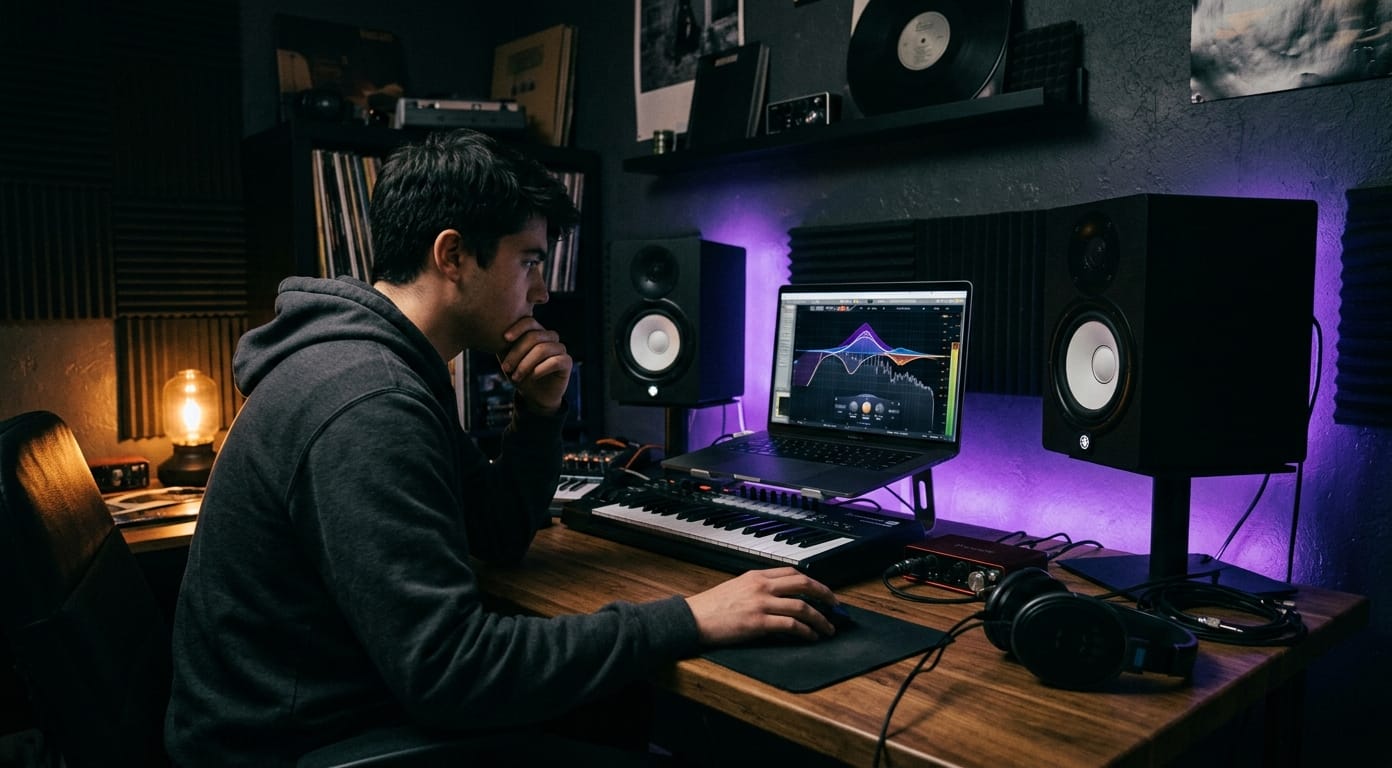
A good mix and master used to mean booking time with an engineer, or spending years learning to do it yourself. In 2026, AI tools handle a lot of that work, and most of them are genuinely good now. Not gimmicks. Good enough that on a lot of electronic material, a solid AI master holds up next to a human one.
Here are my picks. iZotope Ozone 12 is still the best all-in-one AI mastering plugin when you want real control and stem-level mastering. LANDR is hard to beat for fast cloud masters at scale. Sonible smart:bundle is the smartest track-level helper, because it works during the mix instead of waiting until the end. Emastered is the one to grab for quick one-click masters in your browser. Masterchannel and RoEx Automix are two newer tools worth testing. And BandLab Mastering is a free place to start if you just want to hear what AI mastering sounds like.
Below I'll rank them, explain what each one is actually for, and cover how AI mastering works and where a human engineer still wins.
Why these tools matter now
If you still think AI mixing and mastering is a gimmick, the rest of this guide should change your mind. The best of these tools are trained on millions of real releases. Several run right inside your DAW. Neural stem separation is now fast enough to work in real time.
I don't think AI replaces human engineers, at least not soon. But there's a lot of the finishing work it can take off your plate, and on most electronic material it does that work well.
What these tools actually do
At their core, AI mixing and mastering tools analyse your audio and decide what to do with it. That can be simple, like matching your track to a reference and nudging it until the two sound close. It can also be deep, like processing the audio against a large set of real recordings so the tool accounts for the feel of a mix, not just the levels.
In practice that means EQ, compression, limiting, stereo width, and increasingly stem-level moves. Some of the better tools separate stems on the fly, process them on their own, then put them back together for the final master.
Mixing tools and mastering tools sit at different stages. Mixing tools work on individual tracks: the kick, the bass, the vocal, the synths. Mastering tools work on the finished stereo mix.
Mixing vs mastering, quickly
If you're new to this, here's the short version. Mixing is balancing the separate tracks of a song so they sit together. Mastering is the final pass on the stereo mix, the step that makes it loud, cohesive, and ready to translate across phones, club systems, and earbuds.
The four kinds of AI tool
To find the right one, it helps to split them into four groups.
- Mastering AI: Ozone, LANDR, Emastered, CloudBounce, and Masterchannel take the finished stereo mix and decide how to master it.
- Mixing AI: Sonible, iZotope Neutron, Focusrite FAST, and oeksound soothe2 work on individual tracks and suggest the EQ, compression, and dynamics that help each element sit in the mix.
- Stem-aware AI: Ozone 12 Stem EQ, RipX DAW, and RoEx Automix take a finished stereo mix and split it into stems in real time, which you can then process on their own.
- Creative AI: plugins like Neutone and RipX DAW do something different. They generate or transform audio inside the mix.
iZotope Ozone 12
What it is: the full mastering suite, and still the industry standard. It's the plugin most mastering engineers have installed.
Ozone's Master Assistant listens to your mix, picks a starting point based on the genre, and builds a mastering chain to match. It can call on most of the modules in the suite: EQ, compression, stereo imaging, limiting. The 2026 release adds stem separation, the Unlimiter, and a new IRC 5 limiting mode in the Maximizer.
Who it's best for: producers who want speed and guidance but still want their hands on the controls. The Master Assistant gets you most of the way to a finished master fast. You're not stuck with its choices, though. You can override any module, set a target LUFS, pick a genre preset, or limit the assistant to only the modules you trust. That last part matters if you've got an EQ or compressor that already works on your records.
Ozone 12 also includes Stem EQ. It runs neural source separation on a stereo mix and pulls out the vocals, drums, bass, or other instruments, then lets you EQ each one without going back to the original session. That used to mean asking the artist for stems, or rebuilding the project from scratch. Now you do it on the master bus.
The Unlimiter is the other standout. It looks at brickwalled audio, finds where aggressive limiting crushed the transients, and uses machine learning to bring the dynamics back. It's a lifesaver when a client's reference track has nothing left to work with. The IRC 5 mode reaches higher loudness while staying cleaner than the old IRC IV.
Best for: producers who mix and master their own music, electronic producers finishing a few tracks a week with little session data to fall back on, and anyone who wants consistent masters that still sound like theirs.
Not best for: engineers who already prefer a fully manual mastering workflow and don't want an assistant in the way.
Pricing: Ozone 12 Standard is $219. Ozone 12 Advanced, which adds Stem EQ and the full module set, is $499. There's 50% educational pricing for verified students and faculty.
LANDR
LANDR puts an AI mastering engine in the cloud, and its mastering plugin brings that engine into your DAW. The LANDR Mastering Plugin runs as VST3, AU, and AAX, so it loads in Ableton Live, Logic, FL Studio, and Pro Tools. You get three intensity levels and an A/B against the original.
LANDR launched in 2014 and has run an enormous number of tracks through its system since, which is what trained the engine. The current models are genre-matched, so a bass-heavy electronic track gets treated differently from an acoustic folk song. Because it runs in the cloud and only needs a stereo mix, you can have a master back in under a minute. That's the appeal if you're putting out tracks fast and want them out the door.
The hidden advantage is batch work. Run a six-track EP through with the same settings and the whole release stays consistent, which is almost impossible to match by hand.
Best for: producers putting out a dozen or more tracks a month, especially bedroom EDM, drum and bass, and hip hop producers pushing a steady stream of releases.
Not best for: producers who want deep manual control, or one-off album mastering where every track deserves its own attention.
Pricing: there are two ways in. You can buy the LANDR Mastering Plugin outright as a perpetual license. The SE version is $199, and the PRO version lists at $299, often on sale closer to $200. Or you can get the same cloud engine through a LANDR Studio subscription. Studio Standard is $20 a month and includes three WAV masters a month plus unlimited MP3 masters and unlimited distribution. The cheaper Essentials tier is $13 a month and is MP3-only, and Studio Pro at $25 a month gives you unlimited WAV masters. There's no separate product called "LANDR Pro," whatever you've seen floating around. The top subscription tier is just called Studio Pro.
Sonible smart:bundle
smart:bundle is a set of AI plugins that work at the track level, during the mix, not at the mastering stage. The current bundle includes smart:EQ 4, smart:comp 3, smart:limit, smart:reverb 2, smart:deess, and smart:gate. Each one looks at the track it's on and sets transparent, genre-aware settings on its own.
smart:EQ 4 is the headline. It flags problem frequencies in seconds, and its Group View lets up to ten instances listen to each other and carve space so tracks stop masking one another in the same frequency range. That's the kind of thing that takes years to learn by ear, and it does it for you.
smart:comp 3 does a lot of the thinking too. One click and it suggests threshold, ratio, attack, and release. It's a spectro-dynamic compressor, so while it reduces dynamics it keeps an eye on tonal balance and doesn't let the mix go dark on you.
Best for: producers who freeze up on mixing decisions, or anyone mixing against the clock who wants a second opinion on every track. It won't do much for engineers who already mix fast by reference and muscle memory.
Pricing: smart:bundle lists at $399 but is frequently on sale for around $199. Individual plugins start at $129. If you mostly mix vocals, the vocal:bundle is a cheaper way in.
Emastered
If you want one-click mastering and nothing to install, Emastered is the one.
It's a browser-based service. Upload a WAV or MP3 and it applies genre-matched mastering, then hands back a master you can preview against your original. From there you shape it with intensity and tone controls: mastering, compression, and EQ strength, plus stereo width. A master is ready in about a minute. No plugin required.
Emastered also does reference matching. Upload a track you want yours to sound like, and the engine matches its sonic identity. It's a genuinely useful first step before you move to plugin-based mastering.
Best for: beginners, and anyone working in a DAW without a real mastering chain who needs a quick demo master for a podcast or to share with early listeners.
Not best for: stem-level control or batch-processing a full EP.
Pricing: $9.99 per song, or $39 a month for unlimited masters.
Masterchannel and RoEx Automix, the 2026 challengers
LANDR and Emastered proved the first wave of AI mastering works. Now a second wave is showing up, and two names keep landing on serious producers' lists: Masterchannel and RoEx Automix. Masterchannel leans on genre detection before it masters. RoEx Automix does something more ambitious, a full multi-track mix from your stems. Both are worth testing against the tools you already use.
Masterchannel's whole pitch is reading the genre influences in your track and mastering to match. Upload a stereo mix, get a master back. It's built to handle hybrid material, so if you're sitting between hip hop and drum and bass, or trap and techno, it won't force one genre's sound onto a track that doesn't want it. Worth running side by side with LANDR or Emastered to hear the difference.
RoEx Automix is a different animal. Instead of taking a stereo mix and mastering it, it takes your stems (kick, bass, vocals, synth groups, up to 32 of them) and runs a full mix: gain staging, panning, EQ, compression, reverb. That puts it in its own category, closer to an AI mix engineer than a mastering service. I'd treat it as a sanity check on your own mix rather than a replacement for your decisions, but it's one of the closest things to an AI mix engineer out there.
Best for: producers who've already used LANDR and Emastered and want to see how far AI goes past one-click mastering, especially into mixing. Don't expect to drop your DAW entirely yet.
Pricing: Masterchannel has a free tier (unlimited uploads and previews, capped downloads) plus an Unlimited plan around $15 to $25 a month. RoEx Automix is pay-as-you-go at about $5.99 a track, with a Pro subscription around $14.99 a month if you want unlimited.
BandLab Mastering, the free option
BandLab Mastering is a free, browser-based mastering tool built into BandLab, the online DAW that's picked up a lot of users lately. It's fully released, not a beta, and it runs a handful of presets plus an intensity slider.
It won't match Ozone or LANDR for detail or dynamics. But it's the easiest way to hear what AI mastering does to your own mix without spending anything. Run a current track through it, listen on at least three different speakers, and decide whether you want to pay for something deeper.
Best for: first-timers testing what AI mastering sounds like.
Not best for: anything you're actually releasing to streaming.
Pricing: free. A membership lifts the track-length cap.
Creative AI: Neutone and RipX
A couple of tools use AI for something other than straight mixing or mastering, and both run inside your DAW.
Neutone, made by Neutone Inc. (which spun out of the Tokyo AI lab Qosmo), is a real-time neural effects VST. It does timbre transfer and style swapping, so you can turn a guitar into a cello or a vocal into a synth pad in about a minute. The Neutone SDK is open source and the host plugins are free.
RipX DAW, from Hit'n'Mix, is an AI stemmer. It pulls a finished record apart into vocals, drums, bass, and more, which makes it great for learning. Split a reference track into stems and you can study how it was put together, then bring those ideas back to your own mixes.
These aren't everyday mastering tools. You'll reach for them when you're doing sound design or pulling references apart, not on every release. Neutone is free. RipX DAW is £99 (roughly $125), with a PRO tier at £198.
Quick comparison
Here's the short version of the eight tools worth trying in 2026.
| Tool | Type | Best use | Starting price |
|---|---|---|---|
| iZotope Ozone 12 | mastering plugin | pro-level mastering with full control | $219 |
| LANDR Mastering Plugin | cloud mastering plugin | volume and speed | $199 one-time, or Studio sub from $13/mo |
| Sonible smart:bundle | mixing plugins | track-level AI help with EQ, dynamics, glue | $199 on sale |
| Emastered | web mastering | quick masters with no plugin | $9.99 per song |
| Masterchannel | web mastering | genre-blended tracks | free, then ~$15/mo |
| RoEx Automix | web mixing from stems | multi-track AI mix sanity check | ~$5.99 per track |
| BandLab Mastering | browser mastering | a free first test | free |
| RipX DAW | stem separation | learning from reference tracks | £99 |
How AI mastering actually works
Under the hood, most AI mastering tools train a neural network on millions of matched pairs: a raw mix and a professionally mastered version of that same mix. Over enough examples, the model learns which mastering moves tend to go with which kind of music. Feed it a thousand rock records and it starts to recognise the common decisions. Then, given a new raw track, it applies what it learned. It's less rule-based computing and more a very large pattern-matching engine.
Which means the tool is only as good as what it was trained on. A model trained on polished techno will master techno well. The same model handed an experimental ambient piece it's never really seen will probably play it safe and push the track toward a more conventional sound.
What about stem separation
In 2026, AI mastering tools are starting to fold in neural source-separation models on par with the ones inside RipX or Spleeter. So stem separation now happens inside the mastering plugin itself. In Ozone 12, that lets you EQ a vocal on a stereo mix without going near the session file. Work that used to take source files and an engineer, hours or days later, now runs right on the master bus.
The big plugin companies are clearly working on the next step too: generative models trained on huge libraries that might one day suggest changes to your arrangement, not just your processing. That's not here yet. For now, the honest way to think about these tools is as finishing tools, not writing tools.
AI mastering vs a human engineer
So what about the engineer who's been pushing faders and listening for fifteen years? For most electronic music, AI mastering is faster, cheaper, and more consistent. For acoustic material, and for tracks that blend a lot of genres, humans still win. For anything where every half a dB of dynamic judgment matters, a human wins outright.
Most streaming listeners won't hear the difference between a strong AI master and a human one. But for emotionally complex dynamic decisions, a human wins. For creative EQ choices that deliberately break genre rules, a human wins. And for vinyl, knowing what a cutting lathe can actually handle is still the engineer's domain. The newest AI tools don't model those physical limits well yet.
The way I think of it: if you're a bedroom producer releasing on Spotify, AI mastering is fine, and you can use it with confidence. If you're signing to a label, the release probably wants a human. Radio, vinyl, and anything headed for high-end systems can benefit from a real engineer's call.
Which tool should you pick
Two questions settle most of it. Is this release important enough to pay a human? And is the format specific enough, vinyl say, to need decisions AI can't make yet? If you're unsure, here's the short decision tree.
- Want full control and a chain you build yourself, inside your DAW? Ozone 12.
- Want speed, volume, and the ability to master a track and move on? LANDR.
- Struggling with the mix itself more than the master? Sonible smart:bundle.
- Want fast one-click masters in a browser with nothing installed? Emastered or Masterchannel.
- Working with genre-blended tracks? Masterchannel.
- Mixing from raw stems and want help there too? RoEx Automix.
- Just want to hear what AI mastering sounds like, for free? BandLab.
- Doing creative sound design rather than mastering? Neutone or RipX DAW.
Match the tool to the job in front of you. There's no single best one for everyone.
What AI still can't do
Here's the part that matters most. These tools can't replace taste, arrangement, or reference listening. A bad mix is still a bad mix after AI processing. Weak source material gets fixed before mastering, not after. The tools are a speed multiplier, not a substitute for knowing how to produce.
You can't use mastering AI to paper over weak mixing. A kick and bass that clash will still clash after the master, and the only fix is EQ and arrangement at the source. A cluttered arrangement won't untangle itself, and bad vocal tuning won't correct itself. Whatever's wrong in the mix just gets louder. So fixing problems before you master matters more now than ever.
The producers who get the most out of these tools treat them as assistants, and they tend to be the ones who can already master a track by hand. That's not because the tools are elitist. It's because they work best on clean, balanced input. Anyone can benefit from them. Just don't lean on them for the skills you should be building yourself.
Is AI mastering as good as a human engineer?
For most electronic music going to Spotify, Apple Music, and YouTube, it's more than good enough. Ozone 12, LANDR, and Masterchannel can produce masters most listeners won't tell apart from human work. Humans still have the edge on dynamic and creative judgment, so for emotionally complex material, vinyl, intentional genre-breaking, or anything that needs more than a clean commercial polish, a human is the better call. For the bulk of streaming singles and albums, AI is perfectly practical.
Do you need both mixing AI and mastering AI?
They work best on the same project. Mixing AI like Sonible smart:bundle or iZotope Neutron improves individual tracks during the mix. Mastering AI like Ozone 12 or LANDR handles the final stereo polish. Different problems, so they stack well. If you're just starting with AI, pick one tool for the job you're doing right now and learn it properly. Most people start with mastering AI, because the improvement on a decent mix is obvious right away.
Can AI mastering make a bad mix sound good?
Not really. It's good at taking a solid source and making it great. It won't fix structural problems. If your kick and bass clash, your vocals are buried, or the whole thing is muddier and more chaotic than it should be, those problems just get louder after mastering. Fix them upstream with your ears and your EQ, and make real choices about what needs to be heard. Feed an AI mastering tool the best mix you can, because if the source sounds bad, the master will too.
That's the whole thing, really. AI is only as good as the mix you give it. A clean, balanced mix translates. A broken one just gets louder.
Which is why Futureproof Music School exists. I'm here to help you get your mixing fundamentals solid, build your own ear, and turn into a producer who can actually finish tracks. You get structured courses, live feedback in our workshops, regular production challenges, and Kadence, our AI music coach, on call any time you're stuck. AI is the finishing step. The skills come first. If you want to build those, the free trial is open, and the workshops and full course library are there whether you're just starting or already deep in it.
John von Seggern
Founder & CEO, Futureproof Music School
John von Seggern is the founder and CEO of Futureproof Music School. He holds an MA in digital ethnomusicology (the anthropology of music on the internet) from UC Riverside, and a BA in Music, magna cum laude, from Carleton College. A techno producer and DJ since the late 1990s, he released as John von on his own net.label Xeriscape Records while working at Native Instruments, where he co-authored the MASSIVE synth manual. He contributed sound design to Pixar's WALL-E (2008), was a member of Jon Hassell's late-career Studio Group on Hassell's final two albums, ran Icon Collective's online program with Max Pote for eight years before Icon closed in May 2025, and authored three books on music technology including Laptop Music Power!. He architected Kadence, the AI music coach at the core of Futureproof.
Ready to level up your production?
Join Futureproof for live mentorship, AI coaching, and a community of producers.
Start your 14-day free trial