How to Make Vaporwave: Tools, Samples & Sound (2026 Guide)

Founder & CEO, Futureproof Music School
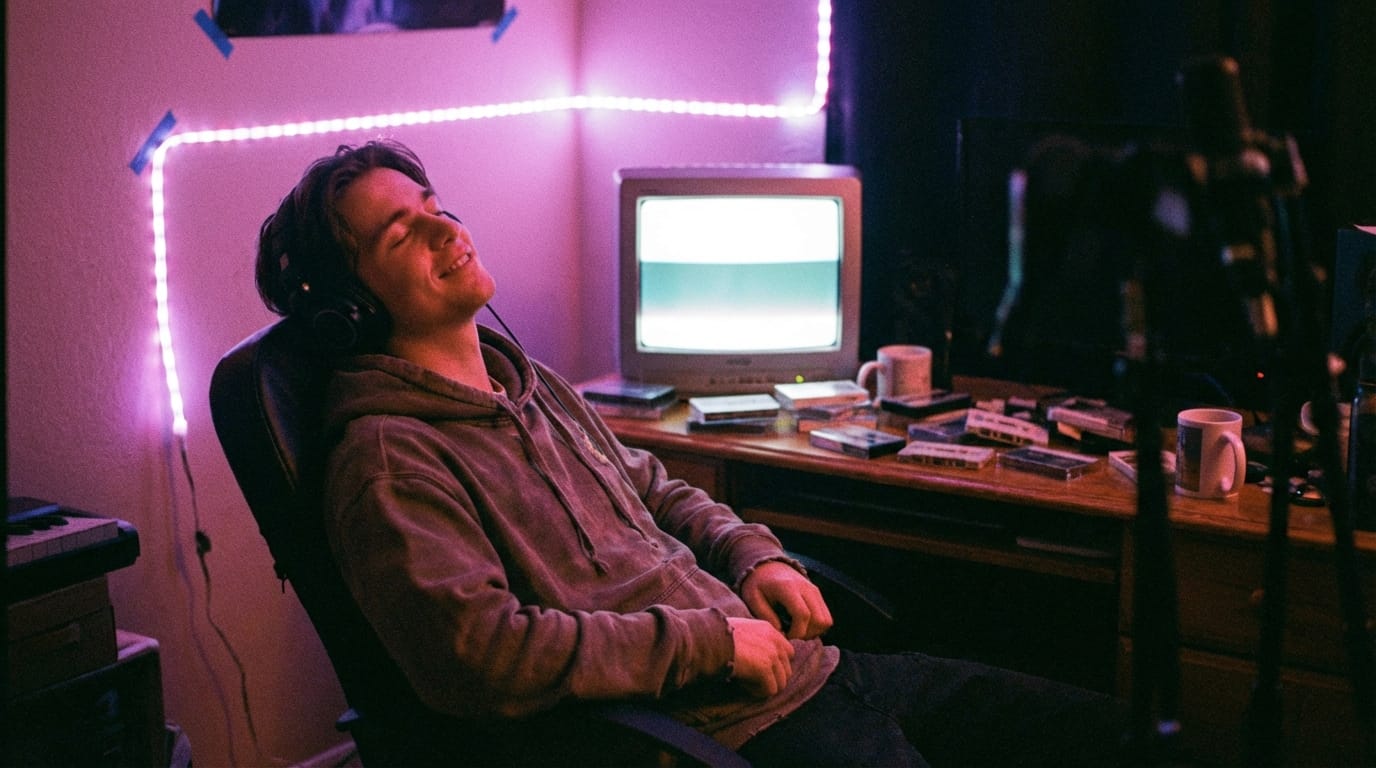
Vaporwave is a 2010s electronic microgenre built on slowed, reverb-soaked samples of 1980s pop, smooth jazz, and corporate Muzak. Its aesthetic combines nostalgia for early internet culture with ironic takes on consumerism. Producers layer pitched-down vocals and retro synth textures to create a hazy, dreamlike sound.
Genre Specs at a Glance
| Attribute | Detail |
|---|---|
| BPM range | 60-90 (slowed to 50-70% of source) |
| Time signature | 4/4 |
| Common keys | D major, G minor, A minor, F major |
| Signature elements | 80s/90s samples, pitch shift down, chorus on Rhodes, tape hiss, VHS artifacts |
| Sub-genres | Mallsoft, future funk, vaportrap, signalwave, hardvapour |
Essential Tools and Plugins
| Tool / Plugin | Use case |
|---|---|
| Ableton Live / Reaper | Sample chopping and time-stretching |
| PaulXStretch | Extreme time-stretch for mallsoft/ambient vaporwave |
| RC-20 Retro Color / Tape Cassette 2 | Tape saturation, wobble, and noise |
| Valhalla Vintage Verb | Plate, hall, and dreamy ambience |
| Izotope Vinyl (free) | Vinyl hiss, crackle, and wow/flutter |
| ValhallaDelay / Soundtoys EchoBoy | Chorus and dub delay tails |
Making vaporwave is one of the most beginner-friendly ways into electronic music. The core technique is sampling and slowing existing material, not composing from scratch. A free DAW, a 1980s sample, and a reverb plugin will get you most of the way there. The hard part is taste: picking the right source and knowing when to stop processing it.
The Vaporwave aesthetic is built on a delicate-yet-subversive foundation. It's about re-contextualizing sounds and visuals, giving pop culture a playful, ironic nudge, and rediscovering musical gems someone left in a cultural attic decades ago. Today's producers blend powerful software with the sought-after warmth of analog gear to cook up something timeless yet totally fresh. Whether your muse is the ghostly glow of early internet forums, the muted tones of retro arcade games, or the strangely comforting sound of 1980s corporate elevator music, learning how to make vaporwave is a rewarding challenge. It takes sharp technical ears and an artist's heart.
This guide walks through how to turn vaporwave ideas into finished productions. We'll cover the genre's origins, its many subgenres, the right software, the soul of classic synths, layering hazy atmospheres, the BPM and key signatures that define the sound, EQ targets that get you closer to the era, and the mix and master moves that finish the job.
The Origins of Vaporwave: How a Genre Was Born Online
Before you start producing, it helps to understand what vaporwave actually is and where it came from. Vaporwave didn't emerge from a club scene or a record label. It was born on the internet, around 2010-2011, as a collision of music, art, and cultural commentary.
Two releases are widely credited with establishing the template. Daniel Lopatin, recording as Chuck Person, released Eccojams Vol. 1 in 2010. The concept was radical in its simplicity: take short loops of 80s and 90s pop hits, slow them way down, drench them in effects, and let the fragments repeat hypnotically. The result transformed familiar songs into something uncanny and dreamlike.
Then came Floral Shoppe by Macintosh Plus (Ramona Andra Langley) in December 2011. This album became the de facto introduction to vaporwave for millions. Its opening track, "Lisa Frank 420 / Modern Computing," took a Diana Ross sample, chopped and screwed it into a syrupy, melancholic loop, and paired it with iconic pastel-and-marble visuals. Floral Shoppe was the first album to use the term "Vaporwave" in its artwork, and it became the genre's visual and sonic calling card.
What made vaporwave different from other electronic genres was its built-in critique. By sampling and slowing corporate muzak, shopping mall background music, and smooth jazz, early vaporwave artists held up a warped mirror to consumer culture. The name itself references the concept of "vaporware," software that is announced but never released. There's an irony baked into every track: this is music that sounds like capitalism dreaming, and it's not entirely sure if it loves or hates the dream.
By 2012-2013, the genre had splintered into dozens of subgenres and micro-scenes, each exploring different corners of the same aesthetic territory.
Know Your Subgenres: The Vaporwave Family Tree
One of the most striking things about vaporwave is its sheer variety. Understanding these branches will help you find your own lane as a producer.
Classic Vaporwave is the original template: slowed-down samples of 80s and 90s pop, R&B, and smooth jazz, heavy on reverb and chopped-and-screwed manipulation. The mood is dreamy, melancholic, and slightly surreal. Think shopping malls at midnight.
Future Funk takes a more upbeat, danceable approach. Heavily inspired by French House and Japanese City Pop from the 1980s, Future Funk producers speed things up rather than slowing them down. Expect bouncy, disco-influenced grooves, anime visuals, and a much brighter energy than classic Vaporwave. Artists like Macross 82-99 and Saint Pepsi helped define this sound.
Mallsoft pushes the ambient side to the extreme. Named after the shopping mall aesthetic, Mallsoft creates the sonic illusion of wandering through a vast, empty retail space. Long, looping muzak samples are processed with heavy reverb and spatial effects. The result is atmospheric and meditative, often crossing into ASMR-like territory.
Signalwave (also called Broken Transmission) builds entire compositions from found media: old TV commercials, weather channel broadcasts, radio jingles, and station idents. The music feels like tuning through static on a late-night dial, catching fragments of a forgotten era. It's vaporwave at its most conceptual.
Hardvapour reacts against the dreamy softness of classic vaporwave with aggressive tempos, distorted textures, and influences from Industrial and Gabber. Where vaporwave gazes nostalgically at the past, Hardvapour stares into a bleak, accelerated future.
Late Night Lo-Fi (sometimes overlapping with Lo-Fi Hip Hop) takes the hazy textures and slowed-down samples of vaporwave and layers them with mellow drum loops and jazzy chords. It's the study music branch of the family tree, designed for background listening and calm focus.
Each subgenre has its own production conventions, and the best vaporwave producers borrow freely from multiple branches.
Sound Design for Vaporwave's Signature Sheen
The soul of vaporwave production is capturing wistful, bygone sounds within the modern digital era. Think of your studio setup as your nostalgia-crafting toolkit. The right software, classic-sounding synthesizers (or their digital doppelgangers), powerful sampling tools, a MIDI controller, and a quality audio interface are your essential building blocks.
Choosing Your Digital Audio Workstation (DAW): Your Sound Lab
Your Digital Audio Workstation (DAW) is mission control for your entire creative process. For vaporwave, you need software that lets you twist, chop, stretch, and arrange audio with near-infinite flexibility.
- Ableton Live: Often hailed as the king for sample-based genres, Ableton's workflow is a paradise for experimentation. Its built-in audio effects, particularly the "Warp" algorithms for stretching audio and the powerful "Simpler" instrument, feel tailor-made for vaporwave production.
- FL Studio: A favorite for its lightning-fast workflow and legendary step-sequencer, FL Studio is another fantastic option. Its Piano Roll is considered one of the best in the business for programming detailed melodies and chords.
- Logic Pro: For Mac users, Logic Pro offers an incredible value with a massive library of high-quality stock plugins and virtual instruments right out of the box.
When choosing, look for a DAW that excels at sample manipulation and has an interface that sparks your creativity. A big plus is the ability to use plugins that mimic vintage gear. A plugin for tape saturation or vinyl crackle can instantly add essential retro credibility. If you're just getting started and want to learn how to use Ableton's Simpler for sample-based production, Futureproof's core production courses cover Ableton Live and FL Studio in depth.
Vintage Synths: The Sound of Yesterday, Today
Actual vintage hardware synthesizers are the holy grail for many electronic musicians, possessing a warmth and instability that digital synths try to replicate. If you can get your hands on a Roland Juno-106 or a Yamaha DX7, you'll unlock sound palettes that have defined decades of music. These are the sources of those iconic atmospheric pads, glassy bells, and slightly unsettling lead sounds.
However, you don't need expensive hardware. Many software synths (VSTs) do an incredible job of emulating these classics. Look into popular options like the Arturia V Collection for a comprehensive suite, TAL-U-NO-LX for the iconic Roland Juno sound, or the free plugin Dexed for classic Yamaha DX7 tones. The trick isn't just having the tool; it's understanding how to tweak those digital knobs (adjusting oscillator detune, filter envelopes, and LFO modulation) to get the dreamy, imperfect textures you're after.
Essential Tools: Samplers, Controllers, and Interfaces
- Sampling Tools: Sampling is where vaporwave truly finds its voice. Grabbing snippets of 80s pop, forgotten R&B, or smooth jazz provides the nostalgic DNA of your track. Your DAW's built-in samplers (like Ableton's Simpler) are perfect for slicing, dicing, and rearranging old recordings in brilliantly creative ways.
- MIDI Controllers: These are your hands-on, physical connection to the digital world. A simple MIDI keyboard lets you play in melodies and chords far more expressively than clicking with a mouse. Faders and knobs allow you to "perform" your mix, automating filter sweeps and effects for a more dynamic and organic feel.
- Audio Interfaces: An audio interface is the high-quality translator between your analog gear (if you have any) and your computer. It ensures your sounds are captured clearly and played back without annoying delays (latency), which is vital for real-time tweaking and recording.
Essential Plugins for Vaporwave Production
You can get surprisingly far with stock DAW plugins, but a few dedicated tools will speed up your workflow and help you nail that authentic sound.
Free plugins:
- Dexed. Faithful emulation of the Yamaha DX7's FM synthesis. Perfect for glassy bells, electric pianos, and those slightly eerie FM pad sounds that define vaporwave.
- iZotope Vinyl. Adds vinyl crackle, dust, static, and pitch wobble to any signal. One knob-twist and your pristine modern synth sounds like it was pulled off a forgotten record.
- TAL-Reverb-4. A high-quality plate reverb with a lush, diffused sound. Great for creating those vast, hall-like spaces.
- Vital. A spectral warping wavetable synth with a gorgeous interface. The free version is fully featured and can create everything from shimmering pads to gritty basses.
- SQ8ROM. A sampled version of the Ensoniq SQ80, one of the defining synth sounds of the late 1980s. Comes with 168 sounds that are practically a vaporwave starter kit.
Paid plugins (worth the investment):
- RC-20 Retro Color by XLN Audio. The Swiss army knife of Lo-Fi processing. Combines tape noise, vinyl crackle, bitcrushing, chorus, and wobble in one interface. If you buy one plugin for vaporwave, make it this one.
- Arturia V Collection. A comprehensive suite of vintage synth emulations including the Juno, DX7, Prophet, and more.
- Valhalla VintageVerb. A reverb plugin with modes inspired by the digital reverbs of the 1970s and 80s. The "1970s" and "1980s" algorithms are tailored for that era's spatial character.
- Valhalla Supermassive (free). Huge cosmic reverbs and delays. Perfect for Mallsoft's vast empty spaces.
Developing Your Signature Vaporwave Sound
Got the gear? Now for the truly creative part: developing a sound that's uniquely yours. This means getting clever with specific production techniques to turn standard audio into something ethereal, immersive, and dripping with nostalgia.
Vaporwave BPM and Key Signatures: The Numbers That Define the Genre
Vaporwave lives between 60 and 90 BPM, which is typically your source material slowed by 20 to 40 percent. A 134 BPM smooth jazz track pitched down to 106 BPM is canonical Future Funk pacing; a 100 BPM pop ballad slowed to 70 BPM is classic Vaporwave territory. The math is simple: source BPM x 0.6 to 0.8 = target BPM.
Common keys are D major, G minor, A minor, and F major. Minor keys lean into the melancholy that Mallsoft and classic Vaporwave depend on; major keys with jazzy extensions (7ths, 9ths, 11ths) carry the bittersweet warmth that defines Future Funk and the sweeter end of the genre. Pick the key first, then hunt for samples that align. If you pitch a sample down five semitones to fit your track, you've shifted the whole harmonic context with it, so plan around it rather than fight it.
Layering Ambient Sounds: Build That Dreamscape
Ambient layers are the atmospheric clouds your vaporwave track floats on. Think of yourself as a sound painter. Start with a foundation: perhaps some low, rumbly synth pads or a slowed-down recording of rain. Then, gently add higher-frequency textures like a soft, filtered piano loop, distant city sounds, or the hum of a CRT monitor. Each layer should support the others, creating a rich audio mix.
Long reverbs, spacious delays, and a touch of stereo chorus can help blend these layers together smoothly. Use your EQ wisely to carve out space for each element, preventing your soundscape from turning into a muddy mess. The goal is a sound that feels huge, slightly melancholic, and deeply inviting.
Pitch Shifting and Tempo Manipulation: Warping Reality
Pitch and tempo manipulation are your primary tools for recontextualizing sound. This is where you take the familiar and make it beautifully strange.
- Slow It Down: Most vaporwave hangs out in the 60-90 BPM range, depending on the subgenre. Classic Vaporwave favors 60-80 BPM, while Future Funk sits closer to 110-120 BPM. This chilled tempo is the key to that laid-back, reflective vibe. Slowing down samples also does wonderful things to their texture, creating grainy artifacts and smearing the transients. A common technique is to slow a source sample by 20-40% from its original tempo.
- Pitch Down for Mood: Nudge a sample's pitch down by 4-8 semitones and a happy tune can become an eerie, otherworldly moan. This technique can instantly inject a sense of melancholy or mystery. Experiment with pitching down by different intervals: -3 semitones gives a subtle shift, while -7 or -8 semitones creates a deep, almost underwater quality.
- Introduce Wobble: Use a slow LFO (Low-Frequency Oscillator) to subtly modulate the fine-tuning of a synth or sample. Set the LFO rate to around 0.5-2 Hz with a depth of 5-15 cents. This creates a slight, continuous pitch wobble that mimics the sound of a warped cassette tape, adding a powerful dose of imperfect nostalgia.
Reverb and Delay: Creating Infinite Space
In vaporwave, reverb and delay aren't just effects; they are the environment. They create the sense of space and the ghostly echoes of time.
- Reverb: Your goal is to create vast, surreal spaces. Think of the acoustics of a giant, empty shopping mall at 3 AM. Use "Hall" or "Plate" reverb settings with long decay times (4-8 seconds or more). A great trick is to put a reverb on an auxiliary send track, allowing you to send multiple instruments to the same "space" for a cohesive sound. Many producers swear by Valhalla VintageVerb's "1970s" mode on a send, set to a large hall with a 6+ second decay.
- Delay: Delay (or echo) creates the hypnotic, trailing repetitions that add rhythm and depth. Use a simple stereo delay timed to the beat of your track (e.g., a 1/4 or 1/8 note delay) on synth leads. Try "ping-pong" delays that bounce between the left and right speakers for a wider stereo image. Set feedback to 40-60% so the echoes trail off gradually rather than disappearing abruptly.
Lo-Fi Aesthetics: The Beauty of Imperfection
That slightly fuzzy, worn-out sound is pure vaporwave. It's the sonic equivalent of finding an old VHS tape of a forgotten memory. You can achieve this with dedicated plugins or clever use of stock tools:
- Texture: Lightly layer samples of tape hiss or vinyl crackle underneath your track to instantly create a retro feel. Keep the volume subtle. It should be felt more than heard.
- Saturation: Use tape saturation plugins to add warmth, gentle compression, and harmonic distortion, simulating the sound of recording to analog tape. RC-20 Retro Color does this beautifully, or use your DAW's built-in saturation effect.
- Bitcrushing: Subtly use a bit reducer or sample rate reducer to add a digital, grainy texture. This can make a pristine modern synth sound like it came from an early-90s video game console. Try reducing the sample rate to around 22kHz or the bit depth to 12-bit for a noticeable but not overbearing effect.
- EQ Filtering: Use an equalizer to mimic the frequency response of old playback systems. Cut some of the deep sub-bass (below 40Hz) and the very high treble (above 12kHz) to give your whole mix a more contained, vintage sound. Some producers take this further, rolling off above 8kHz to simulate a worn cassette tape.
Sample Selection: Digging for Audio Gold
Choosing the right samples is an art form. You're an audio archaeologist, digging for sounds that instantly spark that nostalgic feeling. Understanding the vibe of different eras and genres is your most important skill.
Concrete crate-dig surfaces that actually work in 2026: YouTube searches like "80s smooth jazz [year]," "Muzak compilation," and "Japanese city pop deep cuts" surface dozens of leads per session; Discogs filtered by year 1982-1989 and genre Jazz-Funk or AOR is a goldmine when you have an artist trail to follow; the Internet Archive's 78rpm and Library of Congress Jukebox collections cover material that may be public domain; and Bandcamp tags like #mallsoft and #vaporwave show you what current scene producers are building from. Build a habit: spend 30 minutes a week filling a "raw sources" folder so you never start a session staring at an empty sampler.
What Music Genres to Raid for Inspiration?
Vaporwave loves to borrow from 80s and 90s pop, R&B, smooth jazz, library music (production music not intended for general sale), and even cheesy corporate training video soundtracks.
- Vintage Pop and R&B: These tracks are goldmines. They often have lush arrangements, soulful vocals (ripe for chopping, pitching, and looping), and iconic synth sounds. Look for clear melodic bits or interesting chord changes.
- Smooth Jazz & Fusion: The home of glossy Rhodes pianos and smooth sax solos. This genre is a primary source for the "mallsoft" subgenre aesthetic.
- Library Music: Music created for commercials and corporate videos in the 80s and 90s. It's often incredibly well-produced but emotionally neutral, making it the perfect blank canvas for creating a surreal atmosphere.
- Japanese City Pop: A goldmine for Future Funk producers especially. The glossy, synth-heavy pop music coming out of Japan in the 1980s has a warm, aspirational quality that lends itself perfectly to Vaporwave manipulation.
Sampling Without Getting Sued: Vaporwave Copyright in 2026
This is worth getting right. Vaporwave's history is steeped in a "Wild West" approach to sampling, but for any official release you plan to sell or monetize, the legal picture matters.
Two layers of rights apply to any commercial recording: the master (the actual recording, owned by the label) and the composition (the underlying song, owned by the publisher). Sampling the master without clearing both is what generates lawsuits. Public-domain status sits at the recording level: as of the 2024 U.S. expansion, sound recordings published before 1928 are in the public domain, which gives you a deep well of pre-war material to work from if you want zero legal risk.
The realistic risk profile matters. A Bandcamp release with a few hundred plays is unlikely to attract a takedown; a track that hits Spotify scale and starts generating mechanical royalties owed to someone else is. Tracklib offers a pre-cleared catalog of real commercial samples with one-click licensing, which is the cleanest path if you want to sample recognizable material legally. Splice offers royalty-free sample packs that are cleared by default but contain new material rather than vintage recordings. The safest move of all: record your own source material on vintage-emulation plugins, then process it as if it were a sample. Same aesthetic, zero risk.
Crafting Melodies That Stick (Even When They're Hazy)
Even in a genre known for its hazy atmosphere, a strong musical foundation can make your track unforgettable. It's about weaving together interesting chords, evocative textures, and memorable synth lines.
Chord Progressions: Setting the Emotional Mood
Chords are the emotional backbone of your track. Vaporwave often uses complex, jazzy, or slightly unusual chord progressions to create that bittersweet, nostalgic feeling.
- Go Beyond the Basics: Instead of simple major and minor triads, explore 7th and 9th chords (like Cmaj7, Am9, Dm11). These chords have more notes and create a richer, more sophisticated sound often associated with jazz and soul music. The added tensions produce that "bittersweet" quality vaporwave thrives on.
- Classic Progressions: A vaporwave-style progression might look something like Dm9 - G13 - Cmaj7 - Fmaj7. This movement feels smooth, slightly melancholic, and endlessly loopable. Another common pattern is the ii-V-I jazz cadence (like Am7 - D7 - Gmaj7), which gives a warm, resolving feeling.
- Borrowed Chords: Try using chords borrowed from the parallel minor key. In the key of C major, dropping in an Fm or Ab chord (borrowed from C minor) creates a sudden emotional shift, a moment of unexpected sadness that's perfect for vaporwave's nostalgic mood.
- Voicing Matters: How you voice your chords matters as much as which chords you play. Spread your chord tones across a wide range (open voicings) for a lush, spacious sound. Close voicings with notes clustered together feel more intimate and warm. Experiment with inversions to create smooth voice leading between chords.
If you want to build a deeper understanding of vaporwave chord progressions and music theory for electronic production, Futureproof's music theory courses break these concepts down step by step.
Melodic Elements: Hooks, Leads, and Pads
- Hooks: A hook is that little bit of melody that gets stuck in your head. In vaporwave, this can come from a processed vocal sample or an original synth line that sounds like a forgotten 80s pop hit. Keep your hooks simple: 4-8 notes, a narrow range, and plenty of repetition.
- Synth Leads: A classic vaporwave lead is often processed with heavy chorus, delay, or a phaser to get that shimmering, watery tone. Experiment with your synth's settings to design unique sounds that can cut through the atmospheric haze. Try layering a slightly detuned saw wave with a softer triangle wave, then run both through a chorus and a long reverb.
- Lush Background Pads: Pads are the atmospheric foundation. These are the slow, evolving synth sounds that create a continuous wash of harmony. The key is subtle movement; use slow attack and release times on your envelopes and gentle filter sweeps to keep them from sounding static. A pad with a 2-3 second attack time that slowly opens a low-pass filter creates a beautiful, breathing quality.
Arrangement and Song Structure: Building a Complete Track
Vaporwave arrangement is less about dramatic drops and builds and more about gradual evolution and hypnotic repetition. The goal is to create a sense of floating through a space rather than marching through a traditional song structure.
The Loop-Based Approach
Many classic vaporwave tracks are built on a single main loop that evolves subtly over time. Start with your core sample or chord progression looping, then gradually introduce and remove elements:
- Introduction (8-16 bars): Start sparse. Introduce your main sample or pad with heavy filtering. Let the listener settle into the atmosphere. A high-pass filter slowly opening over the first 8 bars is a classic technique.
- Build (8 bars): Bring in more elements: a bass note, a second melodic layer, or the drum pattern. Each new element should feel like discovering another artifact in the haze.
- Main Section (16-32 bars): All your core elements are present. This is where the track lives. Let it breathe and loop. Subtle automation is your friend: a reverb tail getting slightly longer, a filter gently sweeping, a new texture appearing for 4 bars then disappearing.
- Breakdown (8-16 bars): Strip elements away. Return to the atmosphere of the intro, or introduce a completely new sample or texture for contrast.
- Return (16 bars): Bring back the full arrangement, possibly with one new element or variation to reward the listener for staying.
- Outro (8-16 bars): Fade out gradually, or let elements drop away one by one until only the reverb tail remains.
Automation Is Everything
In a genre built on repetition, automation is what keeps your track from feeling static. Automate:
- Filter cutoff frequencies (gentle sweeps over 4-8 bars)
- Reverb send levels (more reverb during sparse sections)
- Volume levels of individual layers (bring elements in and out gradually)
- Stereo width (narrow during verses, wide during full sections)
- Lo-fi effect intensity (more tape wobble in certain sections)
The changes should be subtle enough that the listener feels them without consciously noticing them.
Mixing and Mastering for Vaporwave
Getting your vaporwave mix right is a unique challenge. You're aiming for something that sounds intentionally degraded but still pleasant to listen to on any speaker system. If you want the foundations underneath these moves, Futureproof's practical mixing fundamentals for electronic music cover the gain staging, EQ approach, and master-bus thinking that this genre depends on.
Vaporwave EQ Targets: Specific Cuts and Boosts That Define the Sound
EQ is the single biggest tool for getting "into the era." Three moves cover most of the work: a high-pass at 80 to 100 Hz on samples removes sub mud and leaves the kick room to breathe. A high-shelf cut starting around 8 kHz softens the digital sheen and reads as worn cassette or pressed vinyl. A gentle 2 to 3 dB scoop around 200 to 400 Hz on busy sections opens up the mids so the pad can sit behind a vocal sample without fighting it.
The classic "old playback system" master move stacks two filters: a low-pass rolling off above 14-16 kHz on the master bus, plus a tape-emulation plugin (Tape Cassette 2, RC-20 Retro Color, or iZotope Vinyl) set to 3-5% wow/flutter and -3 dB output. Push the parallel saturation on the pad bus, not on every track individually, and you get warmth without losing definition.
Mixing Tips
Low-End Management: Vaporwave doesn't usually need a powerful sub-bass. Cut unnecessary frequencies below 60-80Hz to keep the low end clean and make room for your atmospheric elements. If you do have a bass element, give it its own space with a gentle high-pass filter on everything else.
Mid-Range is King: Most of the character and warmth in a vaporwave mix lives in the 200Hz-4kHz range. This is where your pads, samples, and melodic elements sit. Use EQ to carve out space so elements don't fight each other, but don't over-cut. The genre benefits from a certain fullness and warmth in the mids.
Stereo Width: Use panning and stereo effects to spread your layers across the stereo field. Pads and ambient textures sound great pushed wide, while your main sample or melody can sit closer to center. Chorus and subtle stereo delay are your best friends for creating width without losing focus.
The Bus Processing Trick: Group your atmospheric elements (pads, ambient textures, vinyl noise) on one bus and your "foreground" elements (main sample, melody, drums if present) on another. Apply gentle compression to each bus separately, then use a master bus compressor to glue them together. This creates a sense of depth: the atmosphere sits behind the foreground.
Reverb on Sends, Not Inserts: Route multiple elements to the same reverb send. This places them all in the same "room," creating cohesion. A single, lush hall reverb on a send track often works better than different reverbs on every channel.
Mastering Tips
Tape Emulation on the Master: A subtle tape emulation plugin as the final effect in your mastering chain adds warmth, gentle saturation, and the subtle frequency rolloffs of analog tape. It works as sonic glue, tying everything together.
Gentle Compression: Vaporwave doesn't need to be competitive-loudness loud. Use a limiter to bring up the overall volume, but keep it gentle. Aim for -10 to -12 LUFS rather than the -6 to -8 LUFS typical of modern pop and EDM. The dynamic range is part of the dreamy quality.
High-Frequency Rolloff: Consider a gentle low-pass filter on the master bus, rolling off above 14-16kHz. This simulates the frequency response of older playback systems and adds to the vintage character. It's a subtle but effective touch.
Reference Tracks: Compare your master against vaporwave tracks you admire. Pay attention to the overall tonal balance, how much "air" is in the top end, and how prominent the midrange warmth is. Your track should sit comfortably alongside them in a playlist.
Getting Your Vaporwave Heard: Promotion in the Digital Age
You've crafted a track. Now you need to get it out into the world. Building an online presence and connecting with the right communities is just as important as your production skills.
- Build Your Aesthetic on Social Media: Platforms like Instagram and TikTok are your best friends for showcasing your music and visual aesthetic. Create a consistent visual style that screams vaporwave: think Roman busts, pastel color palettes, glitch art, and retro-futuristic imagery.
- Master the Streaming Platforms: Get your music on Spotify, Apple Music, and especially SoundCloud and Bandcamp. Bandcamp is the de facto home for the vaporwave community, allowing for pay-what-you-want pricing and a direct connection with fans. Good metadata and tags (#vaporwave, #mallsoft, #futurefunk) are crucial for discovery.
- Engage with Vaporwave Communities: Find your people on Discord servers, forums, and community platforms. Share your work, give thoughtful feedback on others' tracks, and be an active part of the conversation. The vaporwave community is welcoming to newcomers who show genuine interest.
- Don't Underestimate Cover Art: Your track's cover art is the first thing people see. It must be eye-catching and true to the vaporwave aesthetic, setting a strong mood that matches your music.
- Collaborate: Team up with other producers or visual artists. It's a fantastic way to cross-promote and create something new and exciting that neither of you could have made alone.
Closing: The Digital Ocean Awaits
Making vaporwave is a fascinating paradox: it's about looking backward to push sound forward. It takes the familiar and twists it into something new, uncanny, and strangely moving. By getting comfortable with your gear, working the BPM and key math, getting the EQ targets right, and developing a curator's ear for samples, you can create a sound that's all your own.
You now hold the keys to sonic time travel. The digital ocean awaits your contribution.
Ready to turn these techniques into finished tracks? Join Futureproof Music School and start your free 14-day trial.
Frequently Asked Questions
Is vaporwave easy to make?
What BPM and key should I use for vaporwave?
How is vaporwave made?
What instruments does vaporwave use?
What is the difference between vaporwave, synthwave, and lo-fi hip hop?
John von Seggern
Founder & CEO, Futureproof Music School
John von Seggern is the founder and CEO of Futureproof Music School. He holds an MA in digital ethnomusicology (the anthropology of music on the internet) from UC Riverside, and a BA in Music, magna cum laude, from Carleton College. A techno producer and DJ since the late 1990s, he released as John von on his own net.label Xeriscape Records while working at Native Instruments, where he co-authored the MASSIVE synth manual. He contributed sound design to Pixar's WALL-E (2008), was a member of Jon Hassell's late-career Studio Group on Hassell's final two albums, ran Icon Collective's online program with Max Pote for eight years before Icon closed in May 2025, and authored three books on music technology including Laptop Music Power!. He architected Kadence, the AI music coach at the core of Futureproof.
Want more Futureproof in your Google results?
Ready to level up your production?
Join Futureproof for live mentorship, AI coaching, and a community of producers.
Start your 14-day free trial