How to Learn Synthesis Without Watching Another Tutorial

Founder & CEO, Futureproof Music School
In 2006 I was working at Native Instruments, and one of my jobs was writing the operation manual for a new software synthesizer called MASSIVE. That synth went on to power a decade of Dubstep and bass music. I spent months explaining every knob, menu, and routing option it had.
Honestly though, I don't think anyone ever learned synthesis from that manual. I'm not sure anyone has learned it from a YouTube video either. You can read about filter cutoff, or watch a producer twist knobs for twenty minutes, and still be stuck the moment you open your own DAW.
What we've found at Futureproof is that sound design is a physical, auditory skill. It's closer to playing an instrument than to studying math. You can't learn it by watching. You have to learn it by doing. This post covers why the usual approach fails, what actually works, and how to use Primer, our new free in-browser synthesis trainer, to practice the right way.
Why the usual way to learn synthesis fails
Many producers get stuck learning synthesis because they rely on visual imitation instead of practice. When you follow a preset tutorial, you copy knob positions without understanding the sound those knobs make. It feels like learning, and the feeling disappears the moment you try to make an original patch.
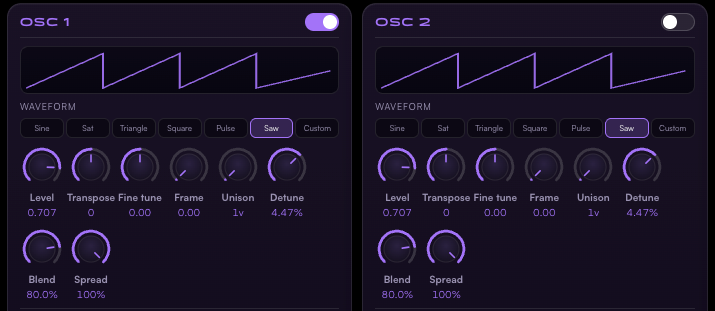
We see this all the time. A producer opens Serum or Vital, sees 200 controls, and freezes. So they find a tutorial for a specific bass or lead, pause the video, match the knob positions on the screen, and press play.
They end up with a sound that works. But they haven't learned synthesis. They've learned how to follow directions. If they want that sound slightly brighter, or less clicky, they don't know which control to reach for. They're trapped inside the preset.
The best way to learn synthesis: ears and hands, one control at a time
The most effective way to learn synthesis is to isolate one control at a time and let your ears grade your progress. That forces your brain to connect a specific action to a specific change in the sound. Master the pieces one by one and you build a foundation that works on any synthesizer.
So start with one knob. If you're learning the filter, don't touch the oscillators or the envelopes yet. Move the cutoff and listen to what it does. Then run an ear-matching drill: hear a target sound, and turn your one knob until yours matches.
When you learn by ear you're building a mental library of sounds. You start recognizing a square wave the way you recognize a friend's voice. You pick up the theory as you go, as labels for things you've already absorbed. That's how I learned jazz bass: by ear first, theory later.
They haven't learned synthesis. They've learned how to follow directions.
What Primer is and how it works
Primer is a free, in-browser synthesis trainer built around exactly this kind of practice. It runs a real synth engine and shows you only the controls you need for each exercise. You master one concept at a time without a wall of controls staring at you.
It isn't a simulation. Primer runs the actual synthesis engine from Vital, Matt Tytel's free wavetable synth, compiled to WebAssembly so it runs in real time in your browser. No download, no install. Just open synth.futureproofmusicschool.com and go.
The first exercise shows you one knob: the filter cutoff. You hear a target sound, you shape yours to match it, and you hit "Check match." That's the whole loop. There are also ear-detection drills ("Which sound is brighter?") that get harder as your ears get better, and "Fix it" exercises where you repair a broken patch: a muddy bass, a clicky pad, a smeared pluck.
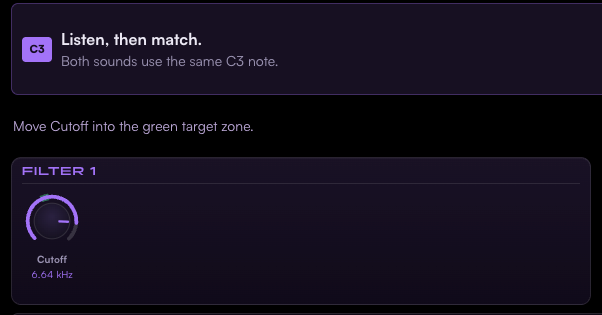
As you pass exercises, more controls appear. We call this progressive reveal, and the controls keep the same positions as they unmask. By the end of a module you're looking at a full synth panel, and none of it scares you, because you met every control one at a time.
Each concept ends with a "Take it to your synth" exercise that bridges what you just learned back to the synth you actually use. Because Primer is built on Vital's engine and uses standard synth terminology and signal flow, everything transfers directly to Vital, Serum, or any other subtractive or wavetable synth.
What you'll learn in Part 1 (and what's coming)
Part 1 of the curriculum is called The Subtractive Core: about 35 exercises across four modules that teach you to shape raw sound into musical material. You'll work through the filter, waveforms, oscillator basics, and the amp envelope, entirely by ear.
Module by module: the filter (cutoff, resonance, lowpass versus bandpass versus highpass, drive), the waveforms (sine, saw, square, triangle, pulse, and how to hear the difference), oscillator basics (octave and level, building a raw tone), and the amp envelope (attack, decay, sustain, release, the pluck, pads and stabs). It ends with a final check that puts it all together.
We follow one rule in the sequencing: still before moving. You master a sound before you make it move, and you master a sound before you process it. Modulation is where most people quit when it's taught cold, so Primer earns it step by step.
More parts are on the way: the filter envelope and the LFO, unison and size, the wavetable and the mod matrix, and eventually FM and effects.
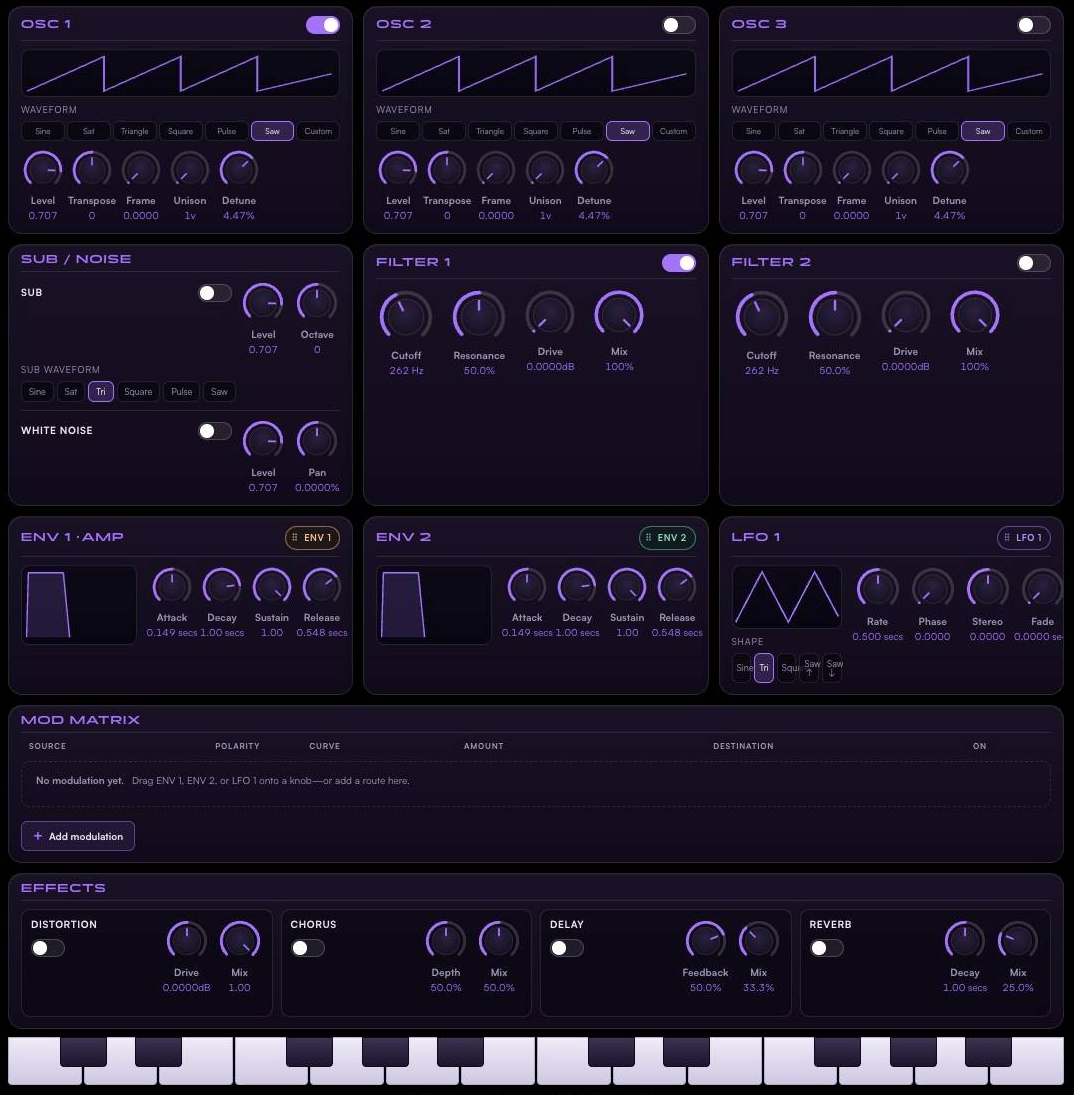
There's also a full Sandbox mode: the complete synth with three wavetable oscillators, filters, envelopes, LFOs, and a 64-slot modulation matrix with drag-to-route modulation. You can import your own WAV wavetables and import or export .vital patches, so a sound you build in Primer can travel straight into Vital in your DAW.
We named it Primer after the 2004 Shane Carruth film, and because that's what it is.
Still before moving. Master a sound before you make it move.
Key Takeaways
- Watching tutorials builds familiarity, not skill. Active practice with your ears is what sticks.
- Learn one control at a time. Progressive reveal beats facing 200 knobs cold.
- Skills practiced on a real synth engine transfer directly to Vital, Serum, and every other synth you'll open.
Ready to Level Up?
If you want to stop guessing and start designing your own sounds, go play Primer. It's free, it runs in any modern browser, and the first exercise takes about a minute: synth.futureproofmusicschool.com.
If you want the whole path, Futureproof members get their Primer progress saved to their student profile, the full curriculum as it releases, and human mentors for the things a trainer can't teach: taste, style, and your artist identity. You can start with a free 14-day trial.
Photos: Alena Sharkova, Egor Komarov, 將將 王 on Pexels.
Frequently Asked Questions
Do I need to own Vital or Serum to use Primer?
Why is Primer free?
Can I use the sounds I make in Primer in my own music?
Sources
- Active learning increases student performance in science, engineering, and mathematics (Freeman et al., PNAS, 2014)
- Test-Enhanced Learning: Taking Memory Tests Improves Long-Term Retention (Roediger & Karpicke, Psychological Science, 2006)
- Vital: Spectral Warping Wavetable Synth, by Matt Tytel
- Vital source code on GitHub (GPLv3)
John von Seggern
Founder & CEO, Futureproof Music School
John von Seggern is the founder and CEO of Futureproof Music School. He holds an MA in digital ethnomusicology (the anthropology of music on the internet) from UC Riverside, and a BA in Music, magna cum laude, from Carleton College. A techno producer and DJ since the late 1990s, he released as John von on his own net.label Xeriscape Records while working at Native Instruments, where he co-authored the MASSIVE synth manual. He contributed sound design to Pixar's WALL-E (2008), was a member of Jon Hassell's late-career Studio Group on Hassell's final two albums, ran Icon Collective's online program with Max Pote for eight years before Icon closed in May 2025, and authored three books on music technology including Laptop Music Power!. He architected Kadence, the AI music coach at the core of Futureproof.
Want more Futureproof in your Google results?
Ready to level up your production?
Join Futureproof for live mentorship, AI coaching, and a community of producers.
Start your 14-day free trial