← Back to Blog
mixingmusic productionfree pluginsspectrum analyzerEDM

How to Use Voxengo SPAN: The Free Spectrum Analyzer Every Producer Needs

John von Seggern

John von Seggern

Founder & CEO, Futureproof Music School

How to Use Voxengo SPAN: The Free Spectrum Analyzer Every Producer Needs

Most bedroom producers mix with their ears alone. That works until it doesn't. When you can't figure out why your low end sounds muddy, or why your master sounds great in headphones but falls apart on a club system, you need something objective to back up what you're hearing.

Voxengo SPAN is that tool. It's free, it's in professional studios everywhere, and once you know how to read it, you'll wonder how you ever mixed without it.

What Is Voxengo SPAN?

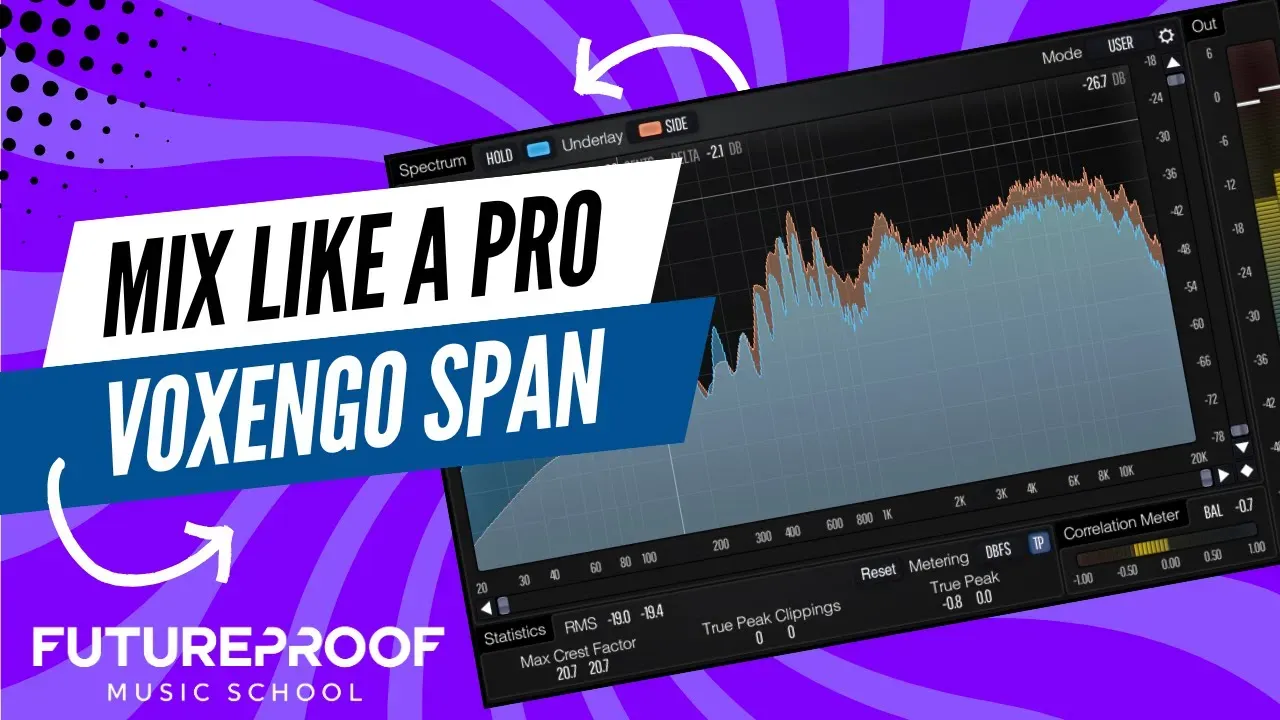
SPAN is a free real-time FFT (Fast Fourier Transform) spectrum analyzer plugin. It shows the frequency content of your audio as it plays.

The horizontal axis is frequency, 20 Hz on the left to 20 kHz on the right. The vertical axis is volume. The taller the curve at any frequency, the louder that frequency is in your mix.

It runs as VST, VST3, AU, and AAX, so it works in Ableton, Logic, FL Studio, Cubase, Pro Tools, and basically everything else.

Why you actually need a spectrum analyzer

Your ears are subjective. Your room acoustics lie to you. SPAN gives you data.

It catches things your ears regularly miss: sub-bass that overwhelms a mix, mud building up in the 200-400 Hz range, harsh resonances in the upper mids around 3-6 kHz, and high-frequency rolloff that makes a track sound dull.

In a well-balanced electronic music mix, sub-bass (below 80 Hz) should account for roughly 12% of total spectral energy. Most first-time producers run closer to 28%. That's why the mix sounds fine at home and boomy everywhere else.

How to download and install SPAN

Go to [voxengo.com/product/span](https://www.voxengo.com/product/span/) and download the installer. No email, no trial period. It installs like any other plugin.

Scan your plugin library in your DAW and it will show up.

Put SPAN on your master bus

Drag SPAN onto your master bus and leave it there. This gives you a constant view of what your full mix is doing.

From there, solo individual tracks to see what each element contributes. Kick sounding boomy? Solo it. Snare cutting through at a weird frequency? Solo it. SPAN will show you exactly where the problem is.

### Settings that actually matter for EDM

The default settings are fine to start, but these three adjustments make SPAN much more useful for electronic music:

Set the block size to 8192 samples. This gives you high-resolution frequency analysis, which matters most in the low end where bass frequencies sit close together.

Set the slope to 4.5 dB per octave. Human hearing isn't flat, and we're more sensitive to some frequencies than others. This slope tilts the display to match how loud something actually sounds to a human ear, rather than what a flat measurement would show. It's particularly useful for modern electronic music with lots of high-frequency energy.

Set the average time somewhere between 3,000 and 6,000 milliseconds. Fast average time shows every transient in real time. Slower average time smooths the display so you can see overall tonal balance at a glance. For making broad mix decisions, slower is more useful.

Reading the display

A well-balanced electronic mix looks like a gentle slope downward from left to right. The low end has the most energy, and it tapers off as you move toward the high end.

Your sub-bass (20-80 Hz) is where kick and bass live. If that region is extremely tall compared to everything else, the mix will sound muddy outside your studio. It might be fine on a treated system, but on earbuds or laptop speakers it will disappear or distort.

The bass region (80-250 Hz) is where warmth lives and where mud hides. A large hump here relative to the midrange usually means you need low shelf cuts on elements that don't need that energy.

The midrange (250 Hz-4 kHz) is where most instruments actually sit: synth leads, vocals, keys. You want this present without harsh peaks. If it looks thin or dipped, things will feel hollow.

Upper mids (4-8 kHz) are where presence and harshness live together. A spike here and the mix feels fatiguing. A dip here and it sounds distant, like hearing it from another room.

The air band (8-20 kHz) gives mixes openness. If your curve drops off sharply before 10 kHz, the mix will sound dull on good speakers even if it sounds fine on yours.

The M/S mode: checking stereo health

SPAN's mid/side mode is underused by most producers, and it's genuinely important.

Right-click inside the SPAN window, find the channel routing options, and set it to display mid and side separately. The mid channel shows what's in the center of your stereo field. The side channel shows what's out wide.

Sub-bass should almost entirely be in the mid channel. If you see significant low-frequency energy in the sides, you have a bass element that isn't properly mono-summed, which causes problems when your track gets played in mono. That's a lot of places: phone speakers, Bluetooth speakers, and club systems that fold to mono at the subwoofer.

If you see low-end content in the sides, find the source and make it mono below 100-120 Hz. Ableton's Utility plugin handles this in two clicks.

The correlation meter

Below the main display is a correlation meter, a horizontal line that moves between -1 and +1.

Close to +1 means your stereo signal is in phase. Near 0 is normal for a wide stereo mix. Below 0 is a problem: your left and right channels are significantly out of phase, and the mix will partially cancel in mono.

Check this during playback on your master bus. If it regularly dips into negative territory, hunt down the out-of-phase elements and fix them before you go any further.

Referencing: the most useful thing you can do with SPAN

Load a reference track alongside your mix and put SPAN on both. Match the loudness of the reference to your mix so you're comparing frequency content, not volume differences.

Then look at the gap between the two curves. Where is the reference louder? Where is your mix louder?

Professional EDM and Dubstep releases tend to have tight, controlled sub-bass, a natural dip in the 200-400 Hz range (that's less mud), and consistent energy through the upper mids and high end. If your mix looks dramatically different from a release you admire, SPAN shows you exactly where to work.

Use SPAN to confirm what you hear, not to replace it. If your mix sounds great but looks a bit different from the reference, trust your ears. If your mix sounds off and SPAN shows a clear imbalance, now you know where to go.

Mistakes people make

The most common one is mixing to the display instead of your ears. The goal is a mix that sounds good, not one that graphs correctly. SPAN is a diagnostic tool, not a target.

Another is leaving the average time too fast. If the display is jumping around constantly, you can't read tonal balance. Slow it down.

Most people also ignore the correlation meter until something is wrong. Check it every session, even when you think the mix is fine. Phase problems show up in places you won't always hear them in the studio.

And referencing without SPAN is a wasted opportunity. You can load a reference track and A/B it by ear, but SPAN shows you the frequency gap in a way that makes it actionable.

FAQ

Q: Is Voxengo SPAN really free? Yes, completely free. There's also a paid version called SPAN Plus with additional routing and stereo linking features, but the free version covers everything in this guide.

Q: Should I use SPAN on every track or just the master? Start with the master bus. Once you're comfortable reading it there, add it to individual tracks when you're diagnosing a problem. Solo a track with SPAN open on the master and you'll see exactly what that element contributes to the overall picture.

Q: What should the spectral shape look like for EDM and Dubstep? A gentle downward slope from left to right. Controlled sub, a natural dip in the low-mids, and solid presence through the midrange and upper mids. Tight sub, clear mids, present highs.

Key takeaways

Put SPAN on your master bus and leave it there. Check it while you mix, not just at the end.

Use M/S mode to confirm your sub-bass is mono-summed and your stereo field is phase-coherent.

Reference against tracks you admire. SPAN shows you the frequency gap between your mix and theirs. Close that gap with EQ decisions backed by what you actually hear.

Ready to take your mixes further?

SPAN is one tool. Knowing what to do with what it shows you is the actual skill. At Futureproof Music School, working producers give you direct feedback on your tracks. Not generic tips. Your tracks. Start your free 14-day trial and find out what you've been missing.


Sources

1. [How to Use Voxengo SPAN: EVERYTHING You Need to Know! — Protohype (YouTube)](https://www.youtube.com/watch?v=-MHpFsAHE-I) 2. [Voxengo SPAN — Official Product Page](https://www.voxengo.com/product/span/) 3. [Voxengo SPAN Review: Why This Free Spectrum Analyzer Still Lives in Professional Mastering Chains — Michael Musco](https://www.michaelmusco.com/2026/03/voxengo-span-review.html) 4. [How to Use Voxengo SPAN for Mixing and Mastering — Solar Heavy Studios](https://solarheavystudios.com/how-to-use-voxengo-span-for-mixing-and-mastering/) 5. [How I Use Voxengo's SPAN Plus for Tonal Balance and Reference Mixing — Brent Hendrich](https://brenthendrich.com/how-i-use-voxengos-span-plus-for-tonal-balance-and-reference-mixing/) 6. [How to Use a Spectrum Analyzer in Music Production, Mixing and Mastering — Resound Sound](https://resoundsound.com/how-to-use-audio-spectrum-analyzer/) 7. [Frequency Balance in Electronic Music — TrackScore AI](https://trackscore.ai/blog/frequency-balance-electronic-music)

John von Seggern

John von Seggern

Founder & CEO, Futureproof Music School

Electronic music producer, DJ, and educator. John founded Futureproof Music School to build the online school he wished existed when he was learning: live mentorship, modern tools, and a real community. Deep background in bass music, sound design, and music technology.

Ready to level up your production?

Join Futureproof for live mentorship, AI coaching, and a community of producers.

Start your 14-day free trial